01 / CAPTURE
Off your mind.
Onto your list.
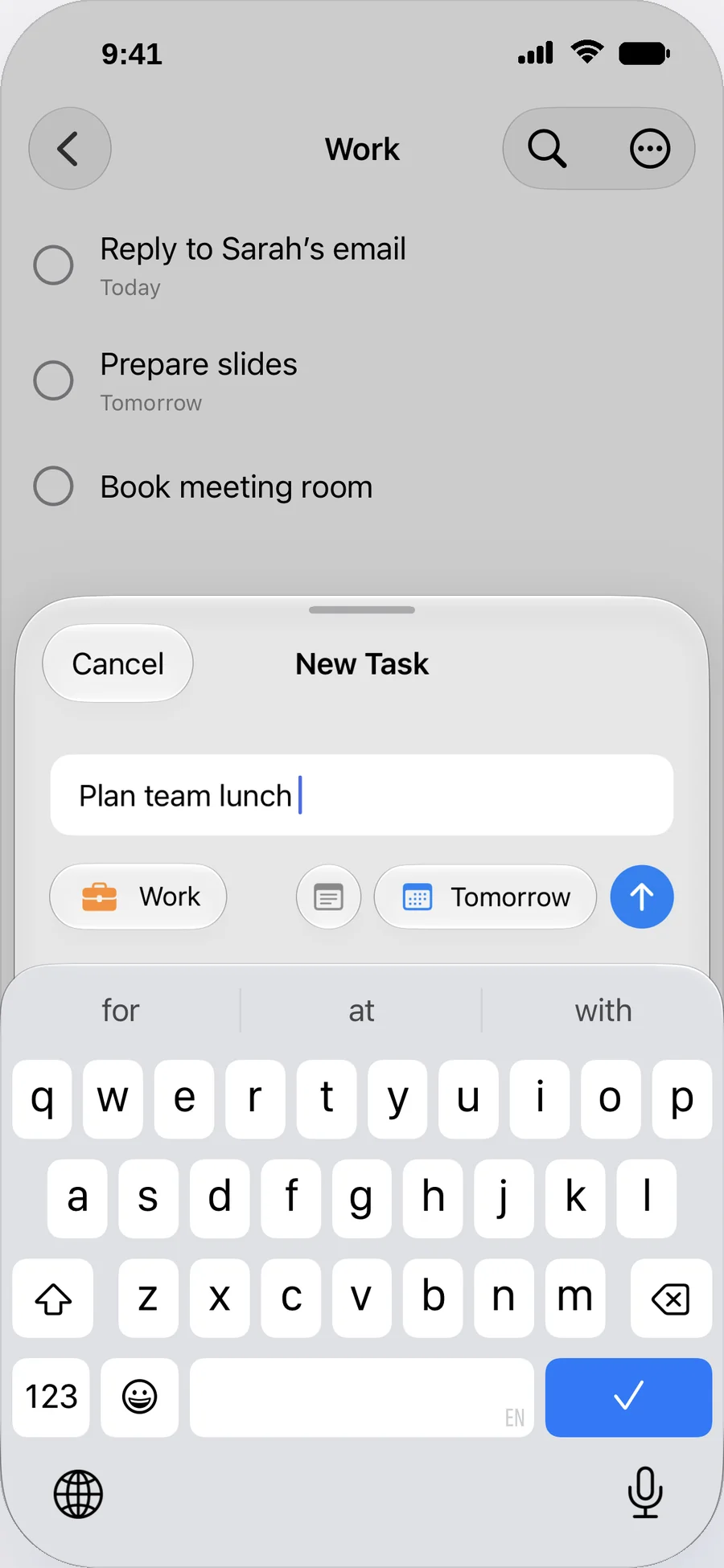
Enter a task, choose a list, and add a reminder if you need one. Give every idea a place.
CLARENT · MINIMAL TODO
The big plans. The little things.
One clear place for everything on your mind.

For iPhone · Free · No account needed · Requires iOS 26 or later
YOUR DAY HAS ENOUGH OPEN TABS.
Clarent keeps your tasks together.
So you can focus on what matters.
01 / CAPTURE
Enter a task, choose a list, and add a reminder if you need one. Give every idea a place.
02 / COMPLETE
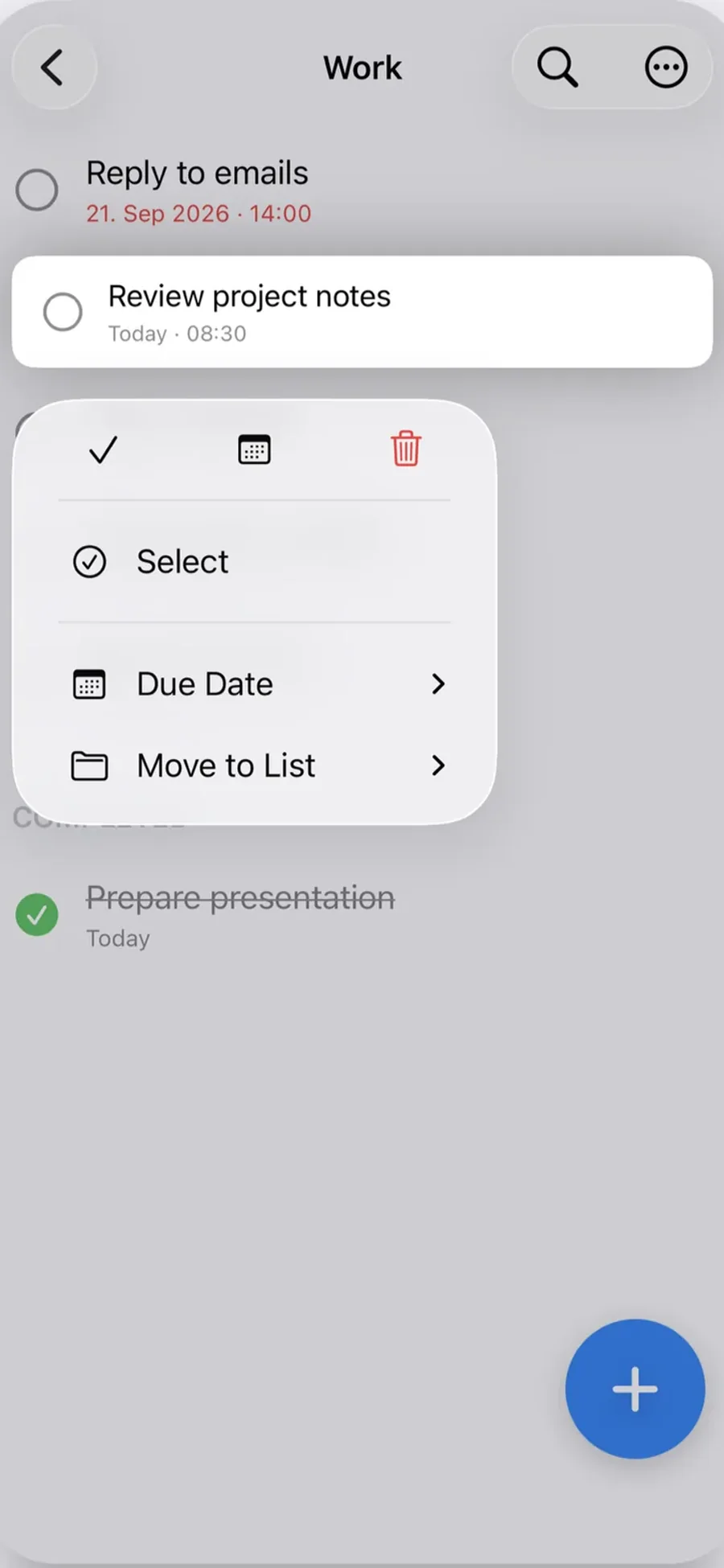
Check off completed tasks and keep the next one in sight. Your task actions are right inside the app.
03 / IN VIEW
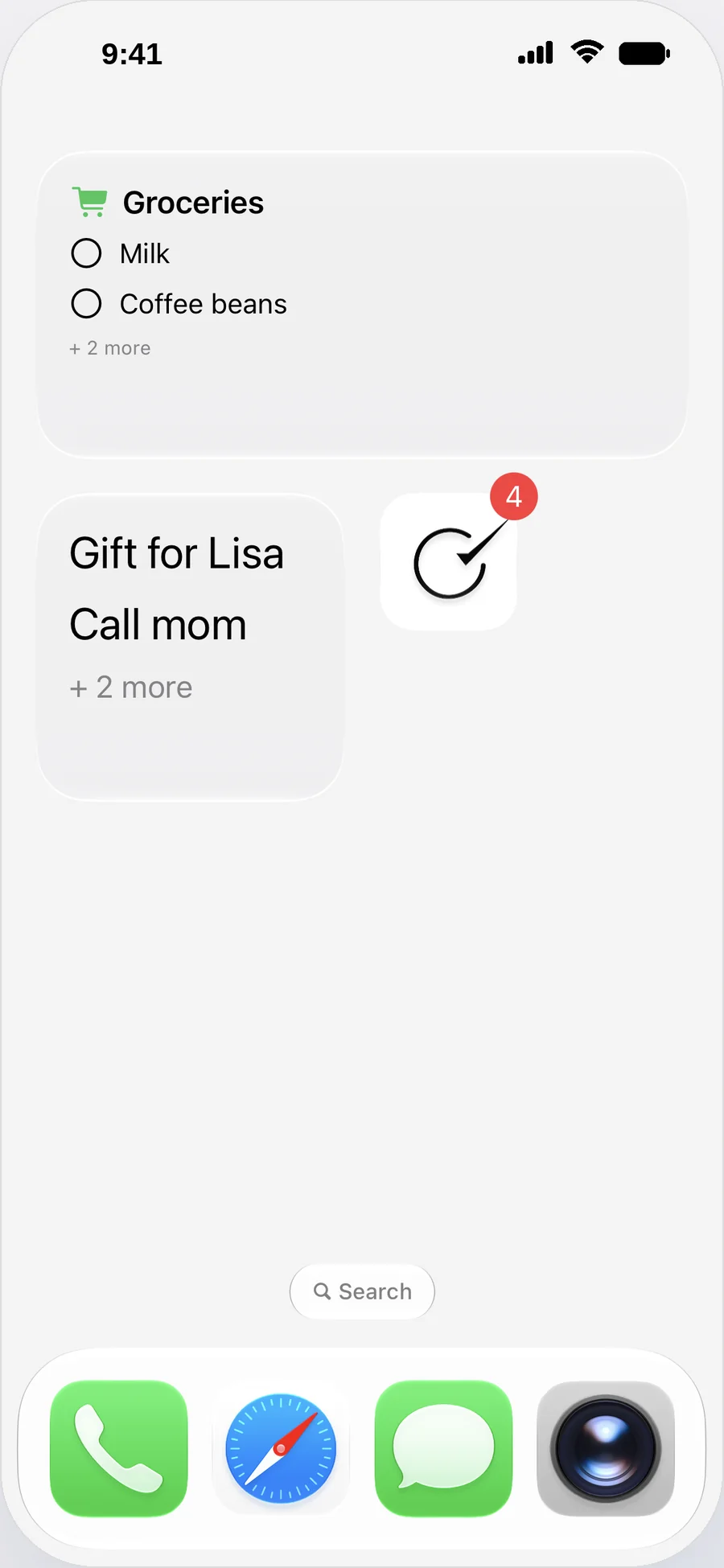
Your tasks on the Home Screen. Choose a list and check off tasks in a supported widget.
SAME CLARITY. DIFFERENT LIGHT.
Light, dark, or matched to your system. Clarent feels right as your day changes.
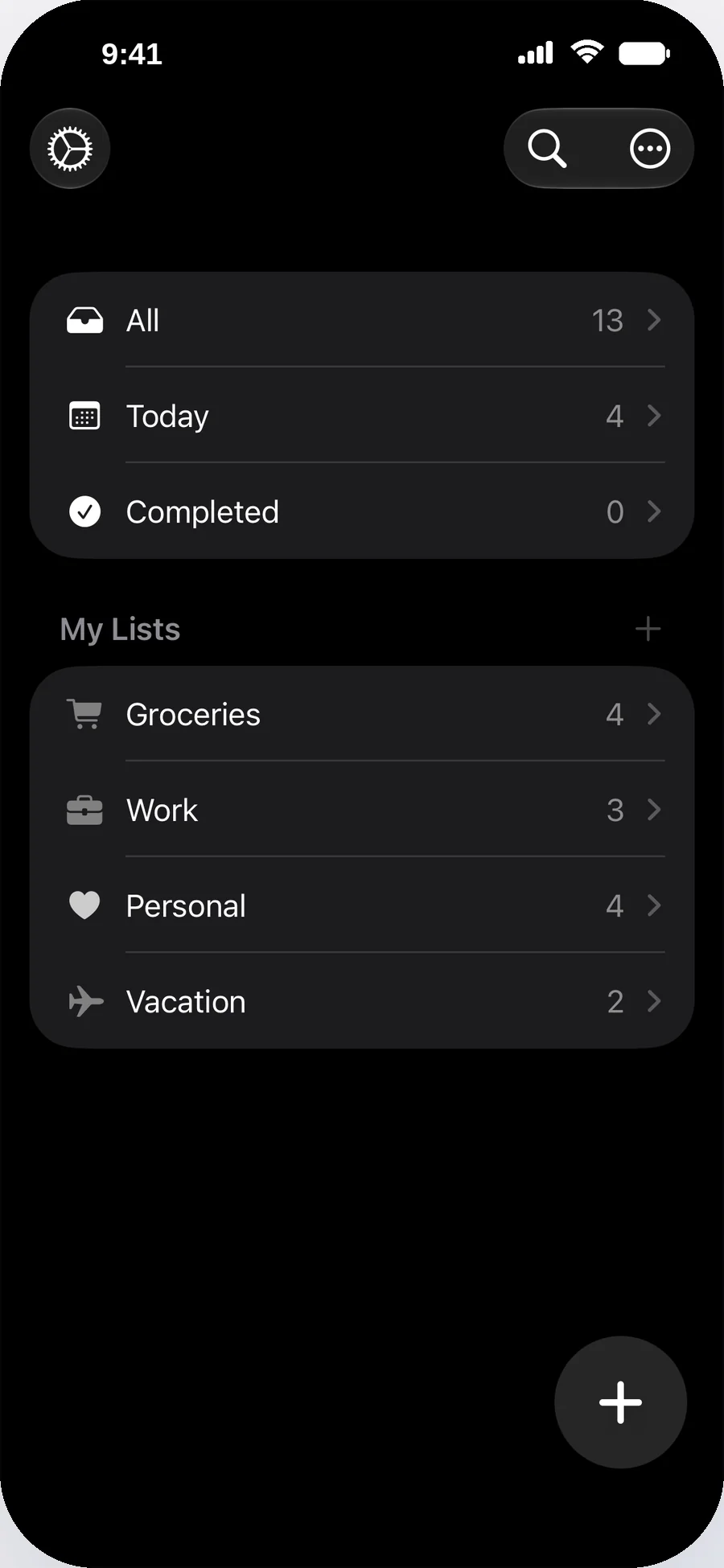
Two looks. Your choice. Tap Light or Dark.
SMALL DETAILS. MORE UNDER CONTROL.
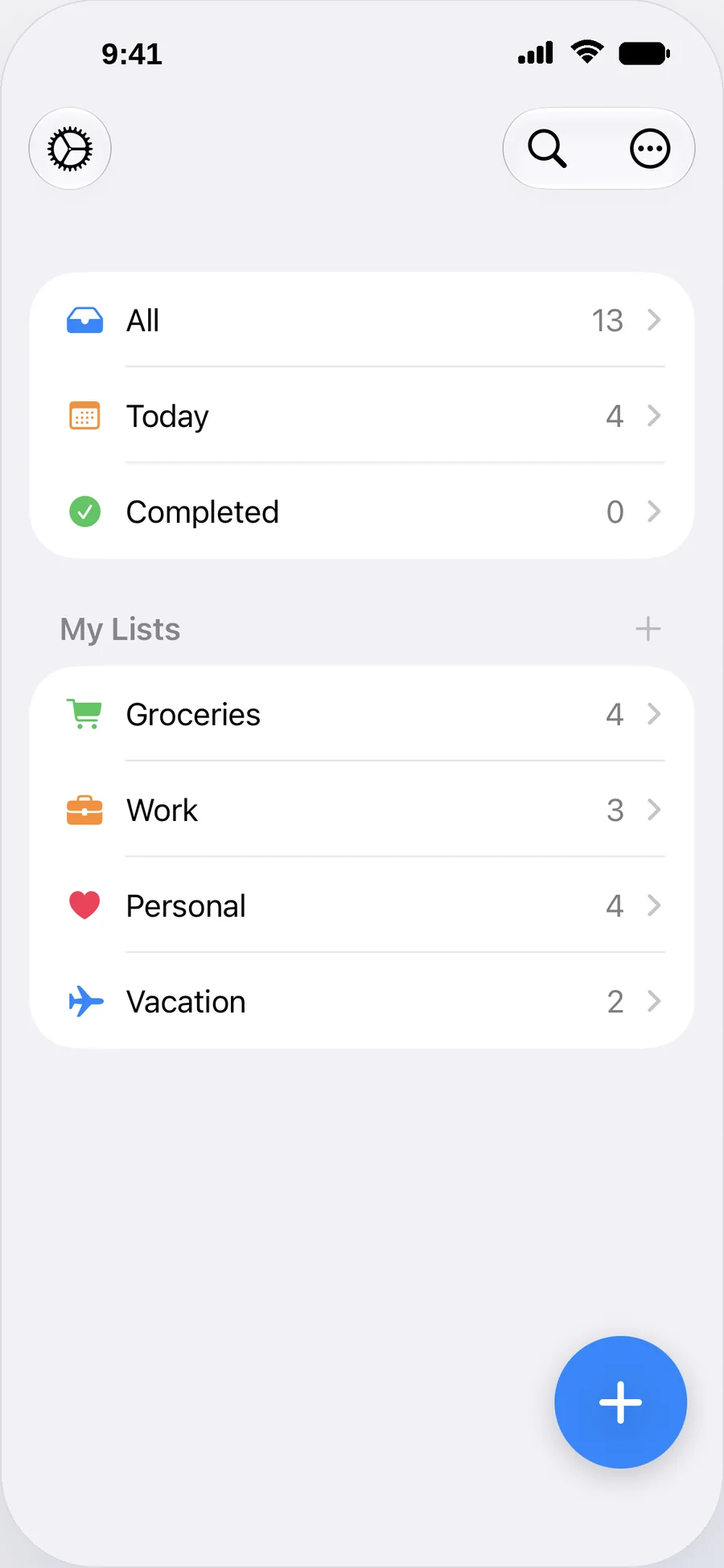
Organize tasks in custom lists with colors and icons.
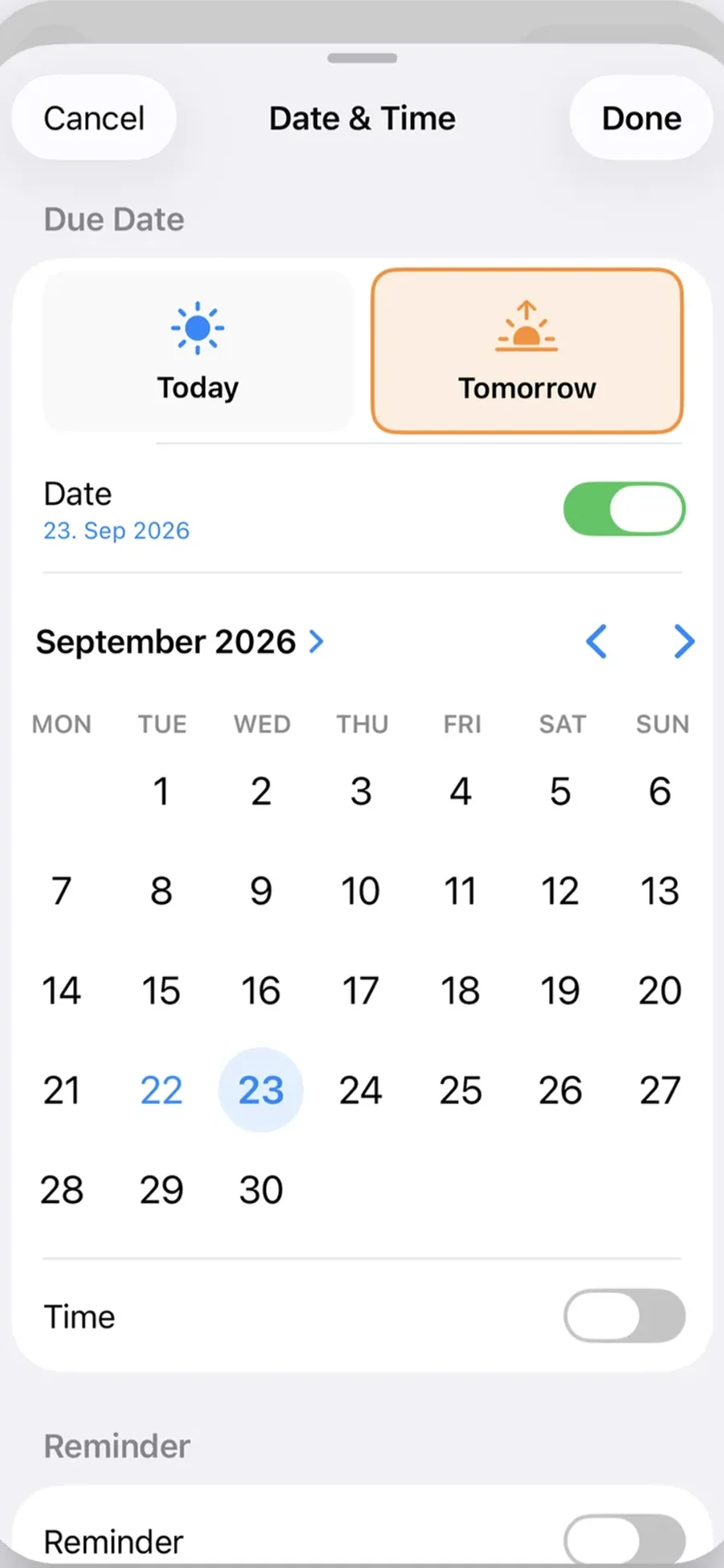
Choose up to three reminders per task. Complete a task or choose “Remind me in 1 hour” right from the notification.
An optional Daily Overview and an app badge show what is due today or overdue.
Choose lists and styles, and complete tasks right in supported widgets. Includes Lock Screen widgets and a large week widget, or a full-page week widget on iOS 27 or later.
Arrange tasks manually or use sorting and filtering options. New lists sort by due date automatically.
Export your tasks as text. Your data stays on your device.
Create tasks from Control Center, the Action Button or a widget.
Use Clarent in German or English.
Add notes to any task. Tap links, email addresses and phone numbers directly.
Create tasks, add them straight to a list or hear what's due today.
The next 7 days at a glance, sorted by day, with overdue tasks at the top.
A simple timer for focused work. Choose 15, 25 or 45 minutes or a custom time.
CLARENT KEEPS GROWING.
Explore new features and improvements in Clarent.
Choose a version to explore what has changed.
Your week on the Home Screen, large or as a full page on iOS 27, with tasks you can check off right there
Up to three per task, picked in a tap, and they move along when you reschedule
Every widget now has its own page with a live preview
Completing a task from a notification or a widget now updates all widgets and the app badge right away
The next 7 days at a glance, sorted by day, with overdue tasks at the top
Widget, Daily Overview and app badge now count the same, and the Daily Overview shows the right numbers every day
A simple timer for focused work with 15, 25 or 45 minutes or a custom time
Widgets follow your list's filter and sorting, due dates always stay visible
A widget preview in Settings that matches the real widget
Animated What's New and smaller improvements
Siri understands more ways of asking and works with new lists right away
New lists sort by due date automatically
Tidier settings with a support page and “Share Clarent”
A slimmer home screen and a faster keyboard
Bug fixes and improved stability
Notes on any task, with tappable links, emails and phone numbers
Add tasks, add to a list, hear what's due today
Edit a task right from the long-press menu
See at a glance what is due today and what is overdue.
Create a task from Control Center, the Action Button or a widget.
Now available in German.
A cleaner list editor with more icons.
Create a new list right from the list picker.
Widgets refresh reliably, plus other improvements.
September 2026
Simple tasks, lists, reminders, and widgets — built to stay out of your way.
YOUR TASKS STAY YOURS.
Your tasks and lists stay on your device. Clarent works offline, without registration or unnecessary data collection.
More about privacy
READY FOR A CLEARER MIND?
For iPhone · Free · No account needed · Requires iOS 26 or later